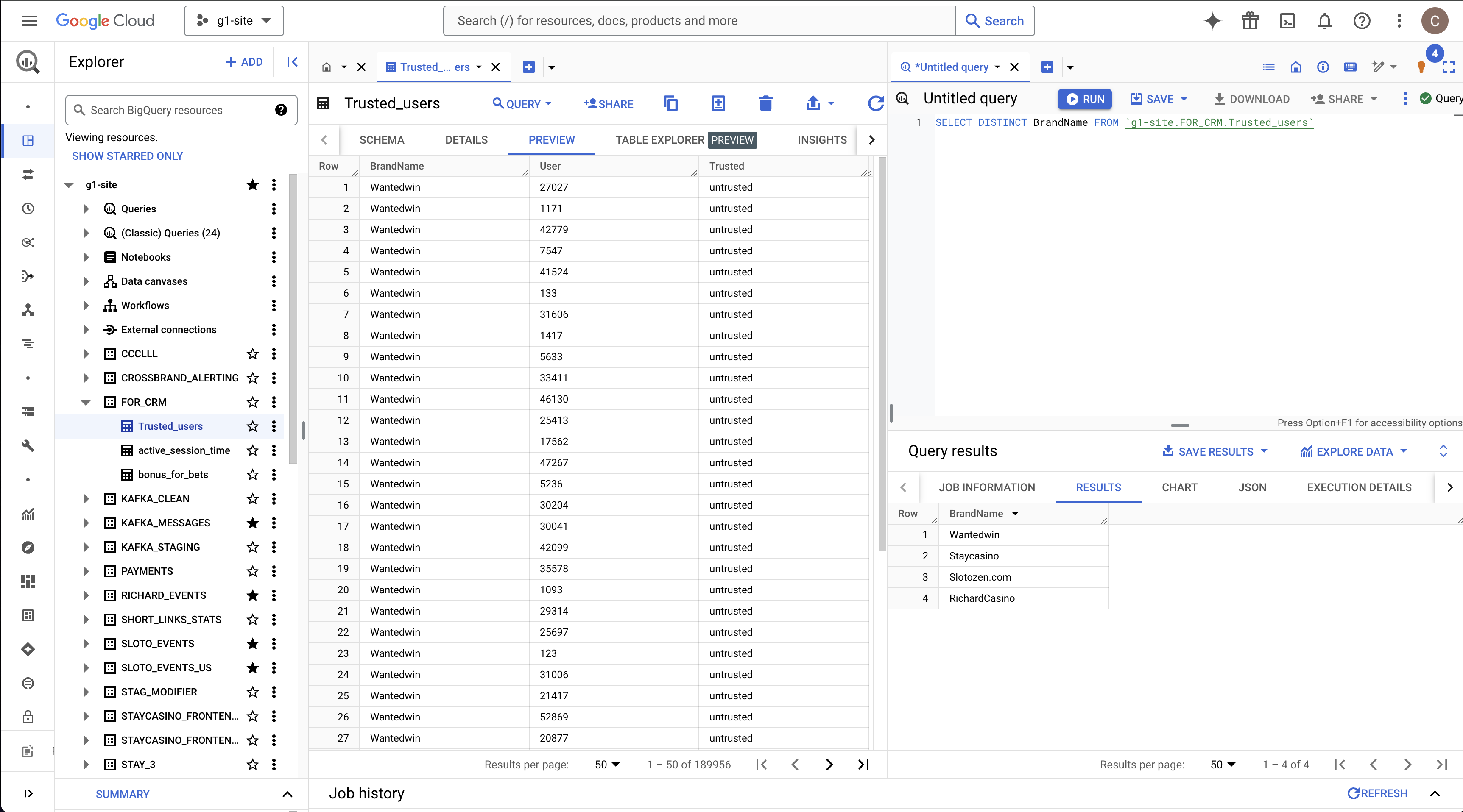
For additional segmentation in CRM (Customer.io) we can pass data about users from BigQuery.
Integration works via Customer.io Data Pipeline feature.
Customer has already configured connection to BigQuery dataset g1-site.FOR_CRM so everybody with proper access to Customer can setup data pipeline that uses tables from dataset. Each brand (project) requires a separate pipeline. You can choose project in the upper left corner of the Customer UI.
Setup table with additional user attributes:
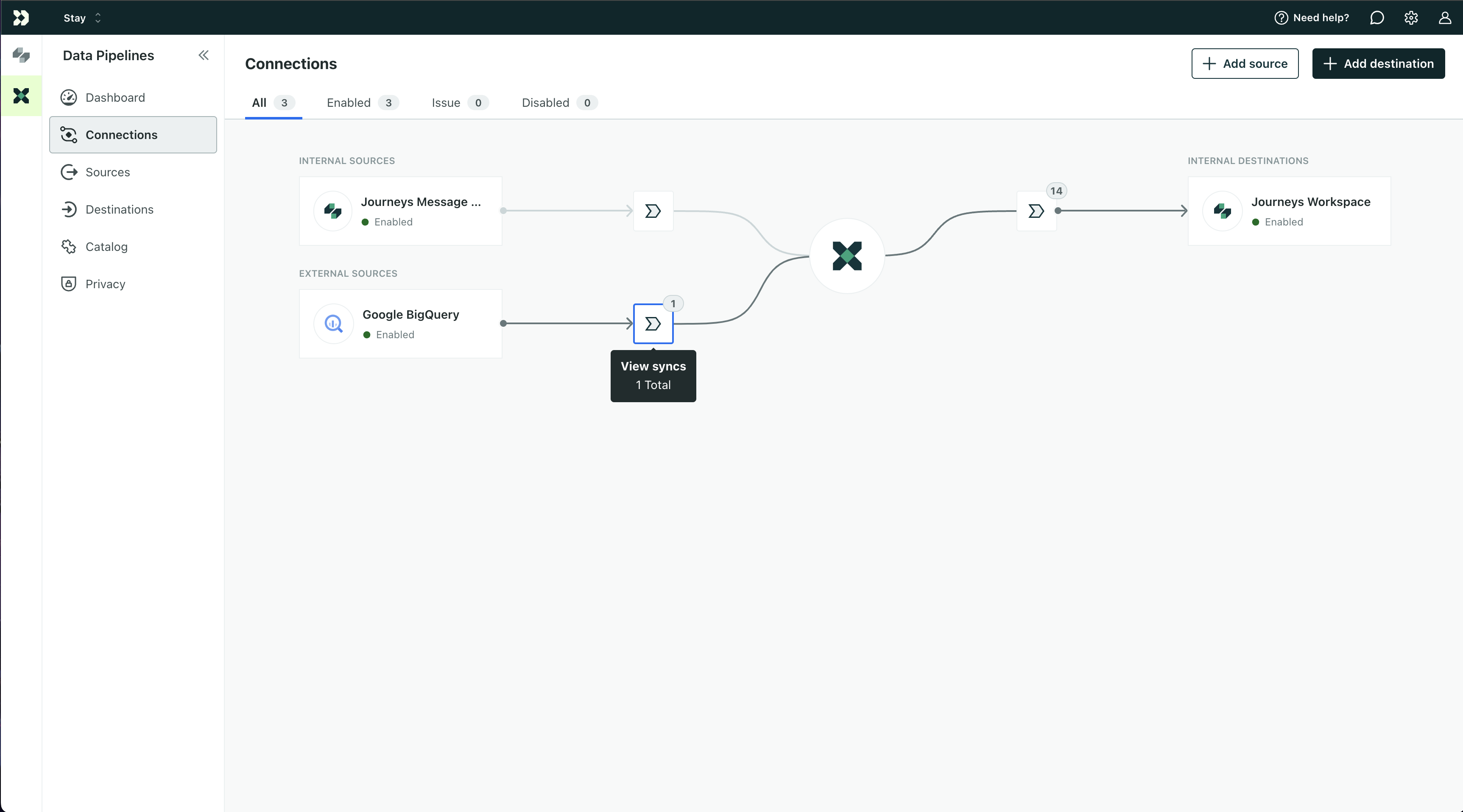
Go to Customer Data Pipeline / Connections and click ‘View Syncs’ icon on diagram:
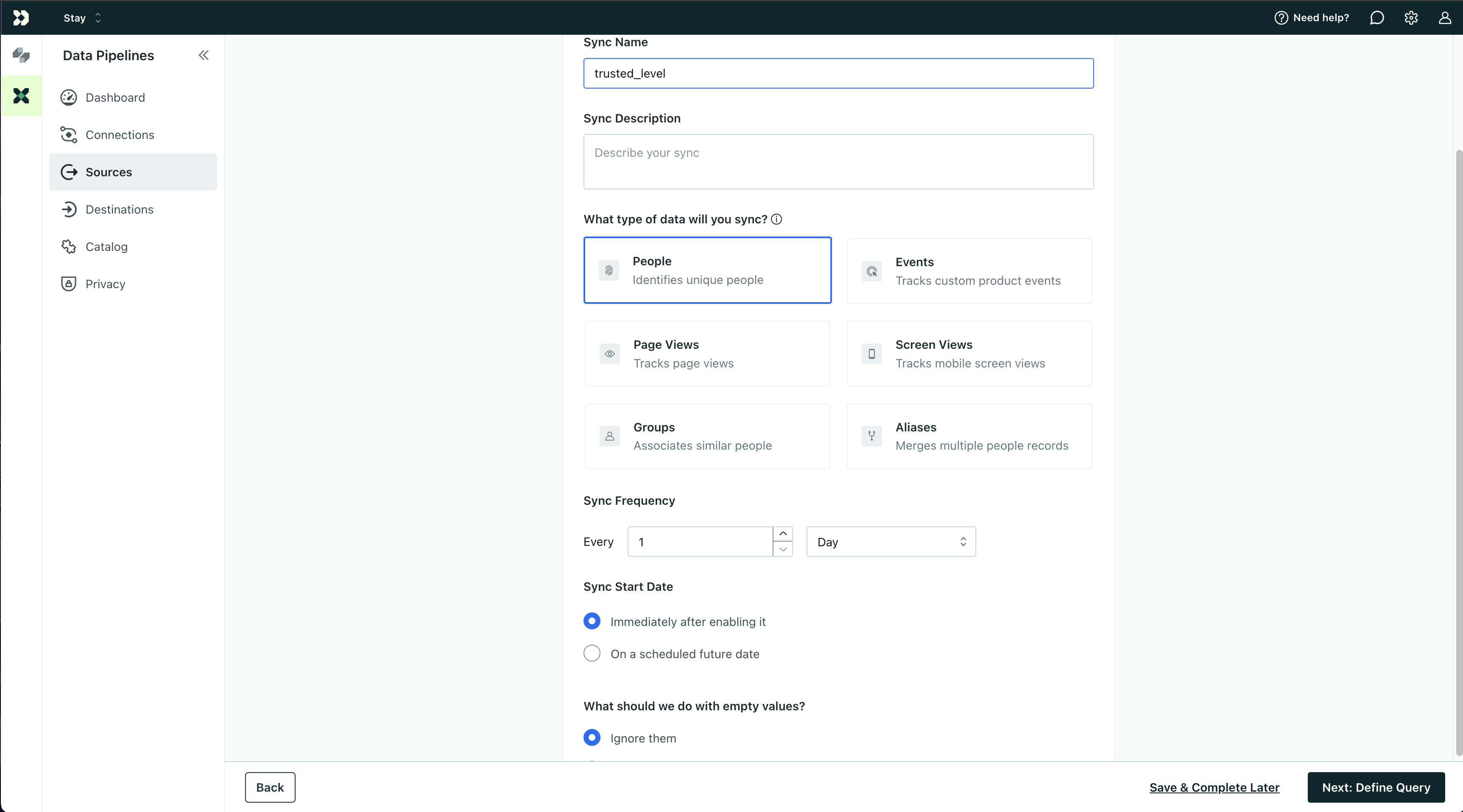
Add new Sync, select existing BigQuery database and configure:
Write an SQL query for BigQuery table. Selected data will be merged into user attributes. Please note - in Customer.IO user IDs starts with brand prefix, so you should transform it:
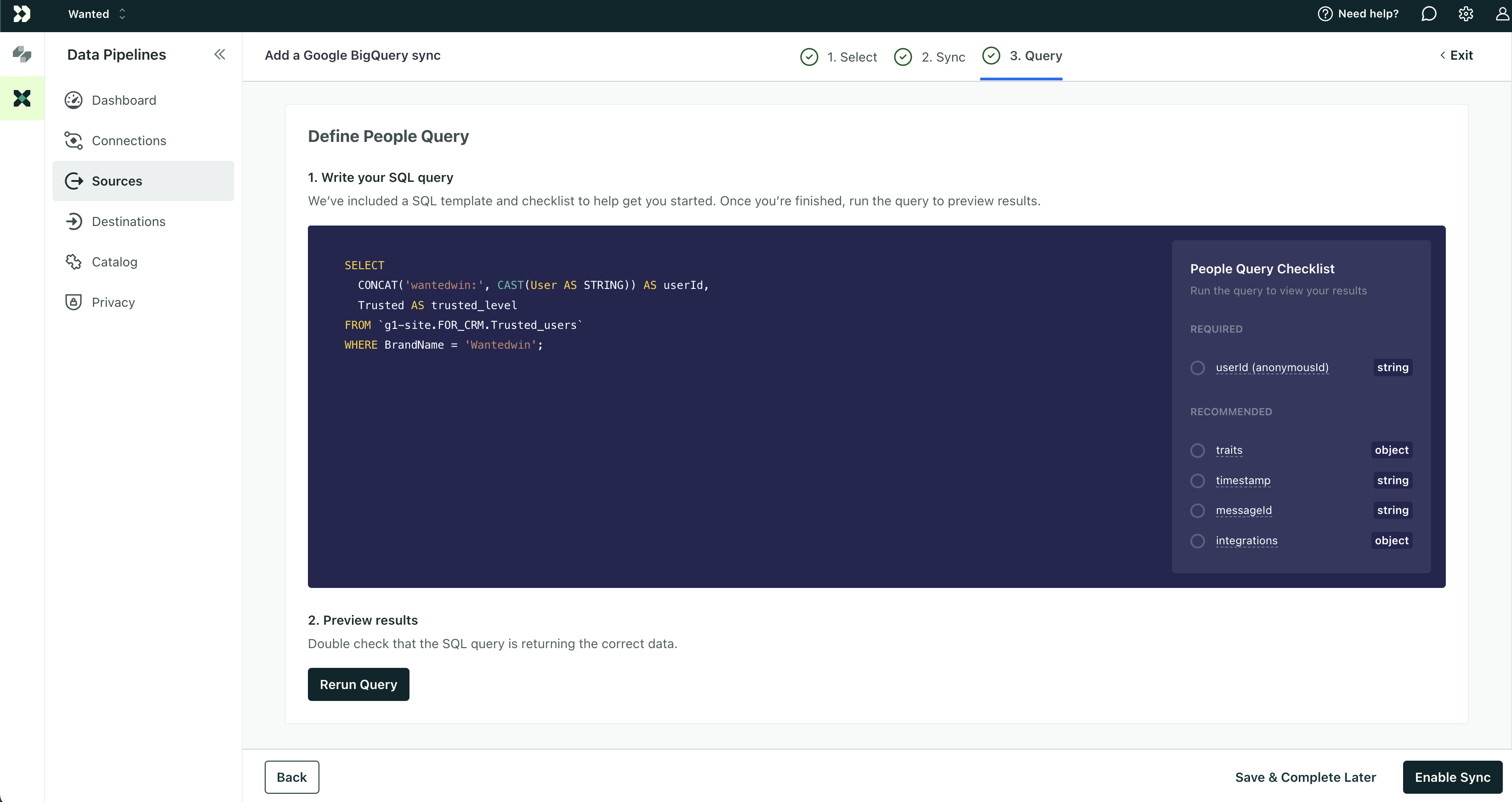
Example query:
SELECT
  CONCAT('wantedwin:', CAST(User AS STRING)) AS userId,
  Trusted AS trusted_level
FROM `g1-site.FOR_CRM.Trusted_users`
WHERE BrandName = 'Wantedwin';
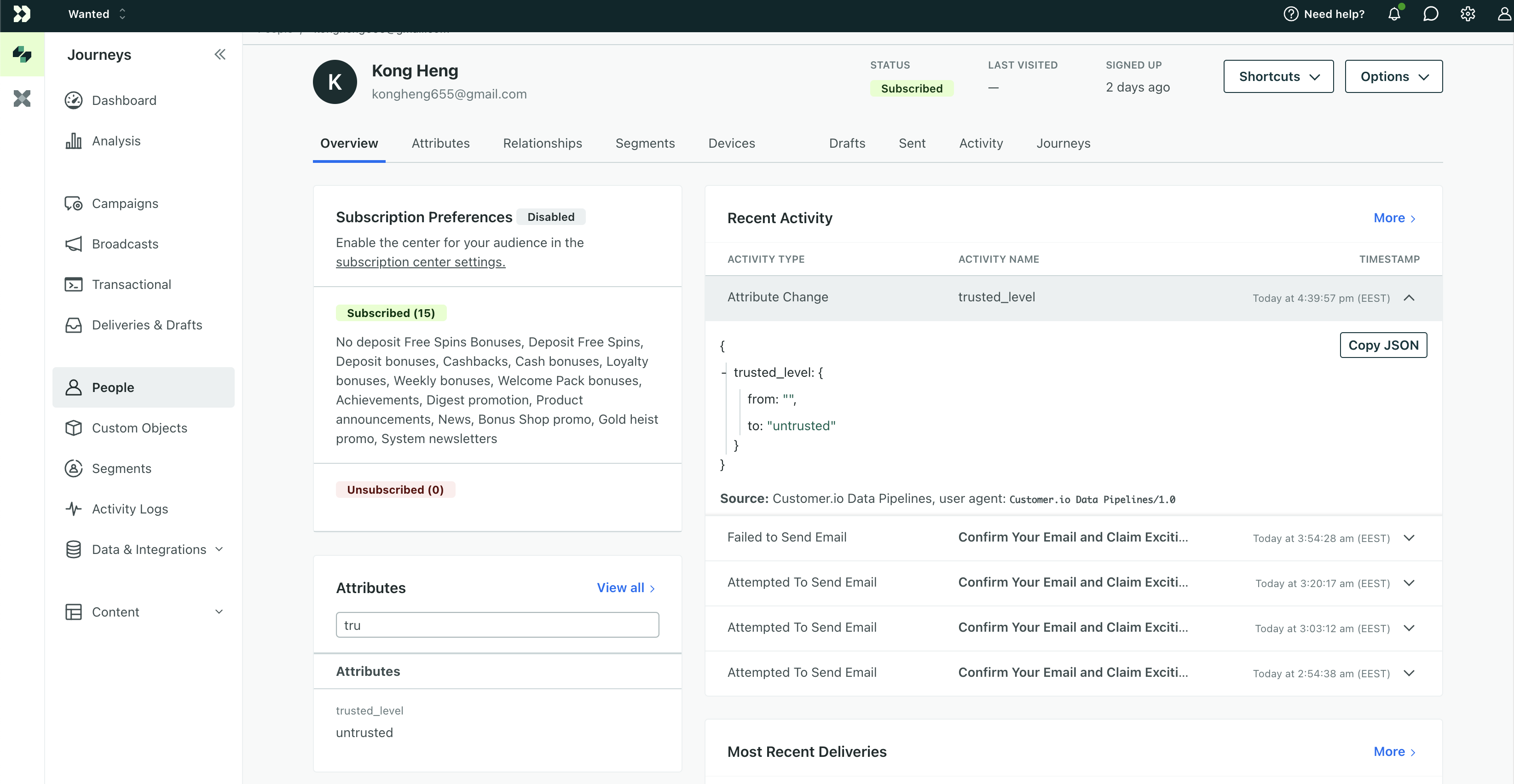
After first sync you can check correctness in Customer.IO Journeys / People page:
Attachments:
 Знімок екрана 2024-10-18 о 14.54.08.png (image/png)
 Знімок екрана 2024-10-18 о 14.52.55.png (image/png)
 Знімок екрана 2024-10-18 о 14.55.02.png (image/png)
 Знімок екрана 2024-10-18 о 16.56.08.png (image/png)
 Знімок екрана 2024-10-18 о 16.41.08.png (image/png)
